Quick answer
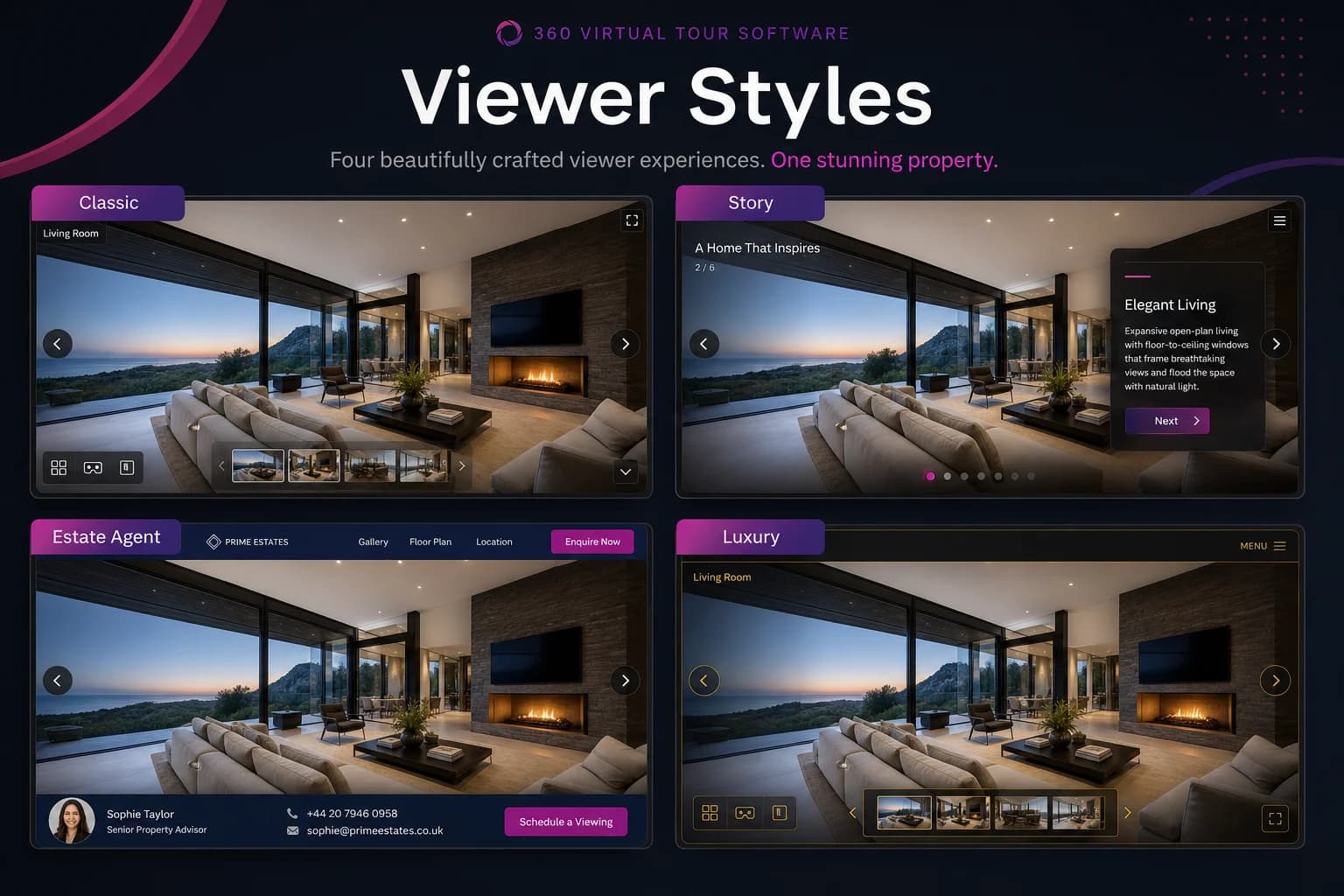
360tours.studio offers six viewer styles — Classic, Minimal, Story, Estate Agent, Luxury and Presentation — each optimised for a different use case, from portal embeds to sales-suite kiosks.
Key Takeaways
- Classic — top bar, scene dropdown and thumbnail strip
- Minimal — panorama-first with floating controls
- Story — guided walkthrough with next/back navigation
- Estate Agent — property details, CTAs and lead capture
- Luxury — premium minimal layout for high-end homes
- Presentation — large controls and auto-hide chrome for kiosks
One tour, many presentations
The same tour data powers every viewer style. Switch to Estate Agent when you want lead-capture CTAs, or to Story when presenting to a remote buyer on a video call.
Frequently asked questions
Yes. Switch styles any time from tour settings — the content stays the same, only the layout changes.